Manage Windows Updates
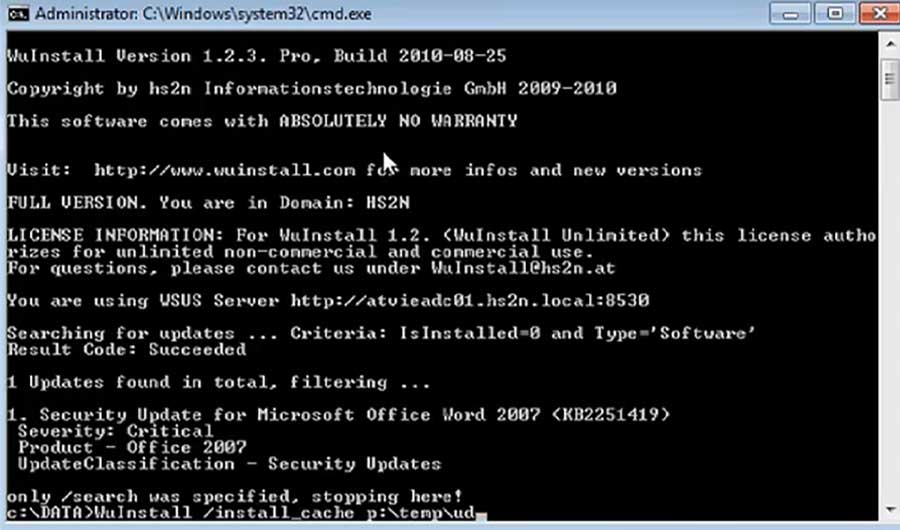
WuInstall is a command line tool that makes it possible to install Windows Updates on demand. This gives you full control over the patching process. You decide what patches should be applied when and on which machine.
Depending on the System configuration it uses either the internal WSUS server or the external Microsoft Update Server to look for available updates. Afterwards, those can be downloaded and installed.
WuInstall was first released in 2009 and today it is used by ten thousand companies all over the world; amongst them are a lot of big enterprises across all industries and public institutions.

WuInstall is a command line tool and can therefore be used in combination with any other tool like SCCM and integrated in the workflow. For example, it can be run in a shutdown script to install updates when users do not need the machine.
You decide when to look for updates and if you want to download and install them. Product names and regular expression can be used to find specific patches. You can even download anc cache updates and install them later offline later.
WuInstall works seamlessly with WSUS - however, If you want to check for the availability of a certain patch, which has not yet been downloaded to your WSUS server, it comes in handy to be able with WuInstall to temporarily bypass WSUS.
With WuInstall updates will be installed whenever a shutdown is initiated, therefore users are not disturbed anymore by annoying reboot requests during work.
The installation progress can be displayed and time limits for the installation of the updates can be set. In addition to it, log files for all processes are available.
WuInstall is able to install all available windows updates until a reboot is necessary and continues with the installation afterwards -> automated reboots during windows updates.
This software is a great tool, and it's command-line based, which I still like best for having some degree of 'control'.
Thank you for the updated version of WuInstall Pro. WuInstall is working extremely well for us.
Thank you for supporting such an outstanding product!
Have been using WuInstall for some time and we have bought the site licence twice now.
Often there are a lot of patches already released at the WSUS but not yet installed on the clients. If a security issue arises, only one patch has to be deployed instantly to solve this problem. Until yet we had only the possibility to deploy all released patches or none.
We are an NGO trying to train youth in a Zanzibar, a very undeveloped country. Our bandwidth constraints are considerable so I love the cache idea to allow me to distribute updates in my computer lab.